SecretVideo is a versatile downloader utility that allows you to extract videos and MP3 audio from YouTube and almost any other website where media is hosted.
Unlike basic tools that only support copy-pasting URLs, SecretVideo excels by directly detecting media signals playing over your network. This “sniffing” capability makes it incredibly compatible with a wide range of sites. Whether you need the highest resolution video or just the audio track as an MP3, this tool handles it with ease.
This tool is perfect for:
✓ Saving YouTube videos in the highest available quality
✓ Downloading lectures or videos from sites that require a login
✓ Grabbing media from niche sites where standard downloaders fail
✓ Downloading lectures or videos from sites that require a login
✓ Grabbing media from niche sites where standard downloaders fail

| SecretVideo | |
| Use Case: | Video/Audio downloader for YouTube & Websites |
| Features: | yt-dlp based, Network media sniffing, Cookie/Login support |
SecretVideo: Step-by-Step Guide
Step 1: Launch and Enter URL
SecretVideo is a powerful tool for grabbing videos from across the web. To begin, launch the program and enter the URL of the webpage containing the video you want to download into the address bar.
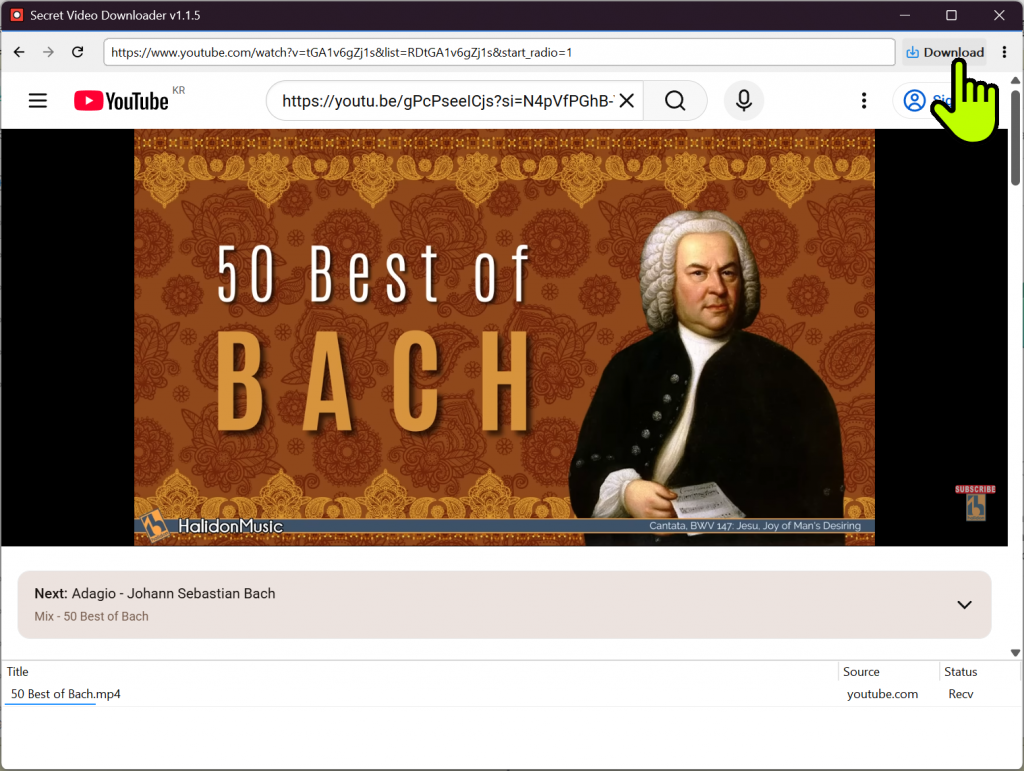
- Broad Support: Works with YouTube (via yt-dlp) and most general video-hosting sites.
- Auto-Detection: Automatically sniffs and extracts media files playing in the background.
Step 2: Format and Storage Settings
Before hitting the download button, it’s best to set your preferred format and save location. Click the three-dot (⋮) menu icon located right next to the ‘Download’ button.
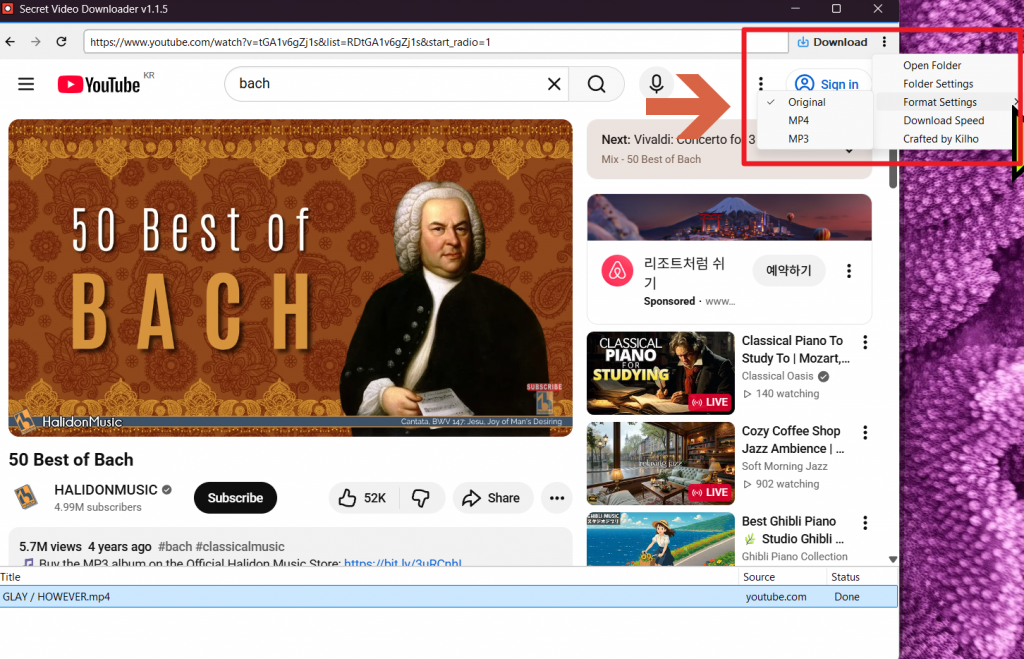
- Format Options: Choose between MP4 (Video) or MP3 (Audio Extraction).
- Output Path: Pre-define the folder where your files will be saved.
Step 3: Execute Download
Once your settings are ready, simply click the Download button in the top right corner. The program will analyze the media and start downloading at the highest possible quality.
- Best Quality: Automatically selects the highest resolution and bitrate available.
- Secure Sites: Can use your browser’s cookie data to download from sites that require a login.
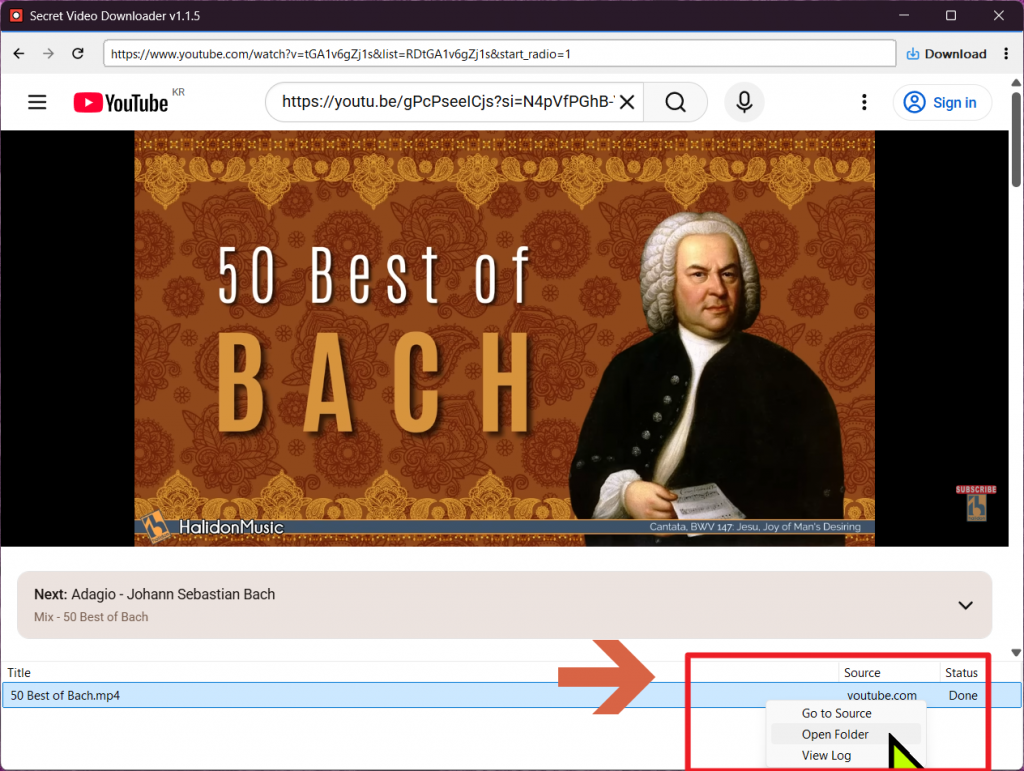
Personal Review: Why SecretVideo is a Game-Changer
I’ve tested dozens of video downloaders, but very few have the “Network Sniffing” capability that SecretVideo offers. On sites where traditional URL-based tools fail to recognize a video, you can simply play the video while this app is open, and it will automatically appear in your file list. It’s incredibly intuitive.The fact that it offers a portable (no-install) version is a huge bonus, allowing you to keep your system clean. If you’re looking for a reliable way to save videos for offline personal use, I highly recommend adding this to your toolkit.
Official Website: https://global.kilho.net/secretvideo