Remember Minesweeper, the iconic Windows game?
It used to be a built-in feature in Windows XP and 7.
But starting with Windows 10, it’s no longer pre-installed —
you now need to download it manually from the Microsoft Store.
Today, we’ll show you two ways to get it back on Windows 11:
✅ Install via the Microsoft Store
✅ Use a direct download version
💣 Direct Download: Classic Minesweeper for Windows 11
💣 Minesweeper Game for Windows 11
Enjoy the classic Minesweeper experience with this standalone version for Windows 11.
No installation required. It features the traditional look and feel you remember.

🛒 Install Minesweeper from Microsoft Store
1️⃣ Open the Start Menu and launch Microsoft Store.
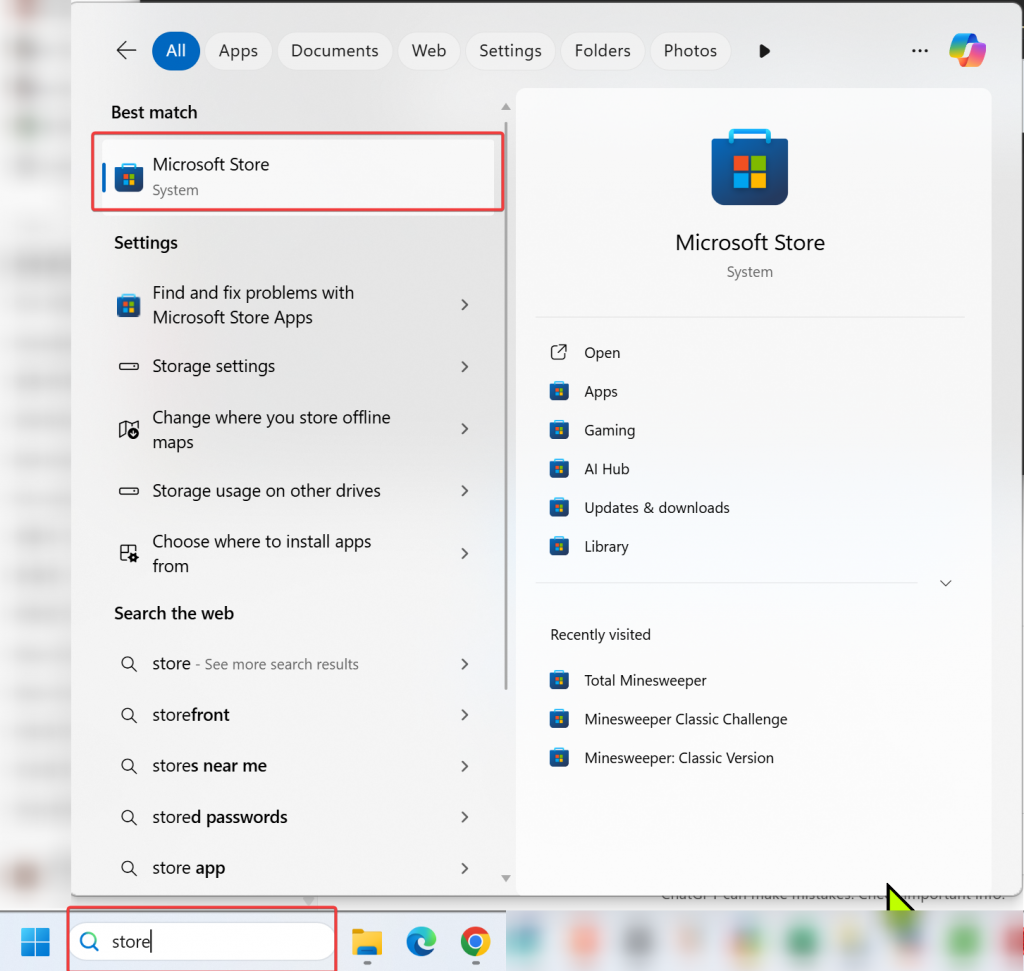
2️⃣ In the search bar at the top, type
🔍 “Minesweeper” or “Microsoft Minesweeper”.
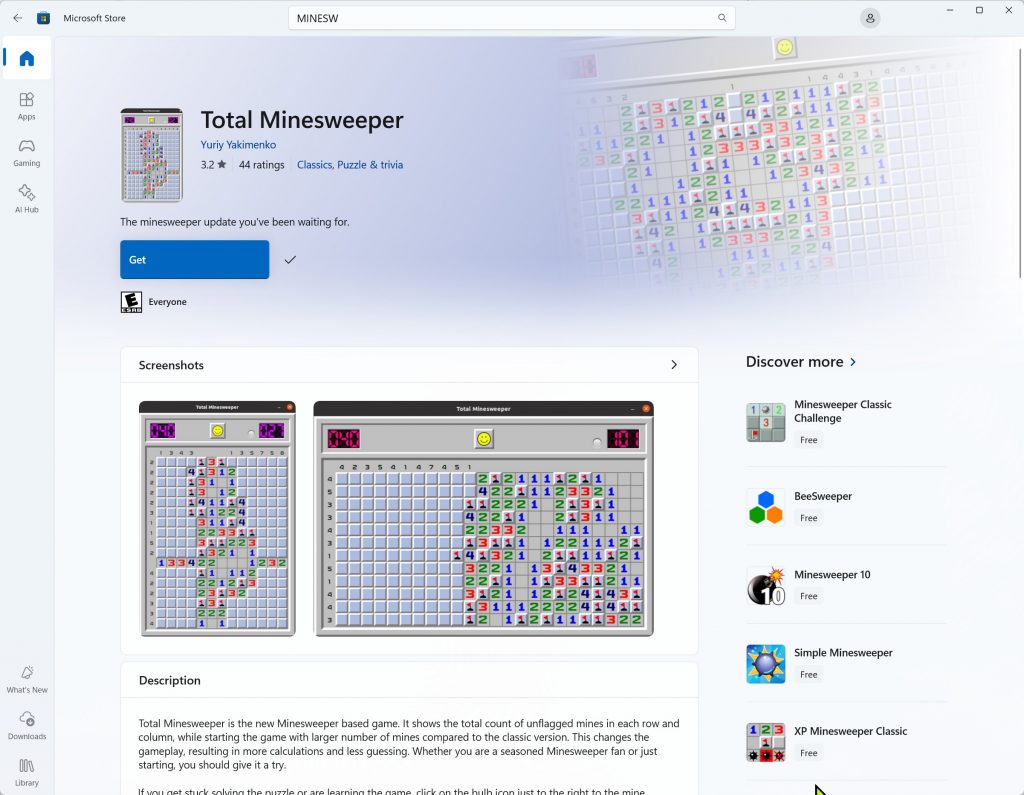
3️⃣ From the results, choose
Microsoft Minesweeper by Microsoft Studios / Xbox Game Studios.
4️⃣ Click the Install button to begin downloading.
5️⃣ Once installed:
- Access it from Start Menu → Games → Microsoft Minesweeper
- Or pin it to the taskbar for quick access
💡 Tip:
Sign in with an Xbox account to unlock achievements!
Play Minesweeper on Windows 11
Now you can enjoy the nostalgia of Microsoft Minesweeper on Windows 11 — anytime!
🎯 Quick Recap:
- Search and install from the Microsoft Store
- Or use the direct download version with no setup required