RustDesk is a free, open-source remote desktop software that allows you to control other computers just like TeamViewer or AnyDesk. However, its biggest advantage is that it is completely free to use.
✅ It is free even for commercial use.
✅ No registration or account is required.
✅ You can set up your own server for enhanced security.
RustDesk Remote Program Download
Click the button below to download.
How to Use RustDesk
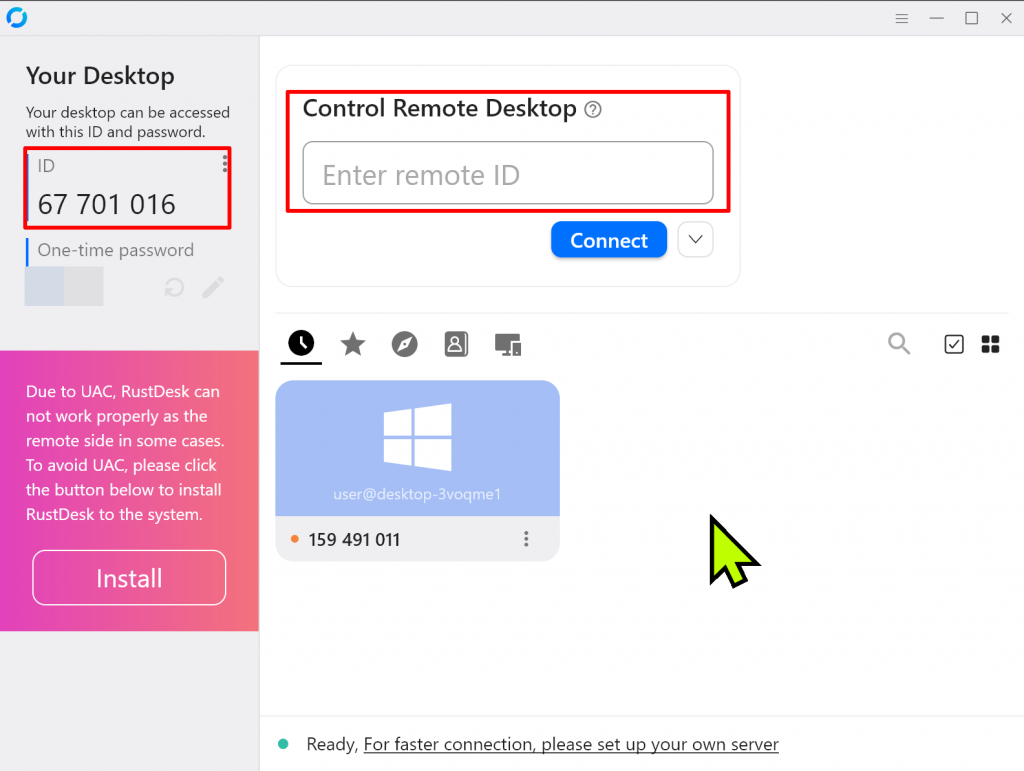
RustDesk runs without installation — just open the program and it’s ready to go.
On the left side of the screen, you’ll see your RustDesk ID.
Share this ID and the automatically generated password with the person who will remotely access your computer.
Once they enter your ID, a pop-up will appear on your screen asking if you want to allow the remote connection.
You must click “Accept” to grant access.
How to Set a Fixed Password in RustDesk
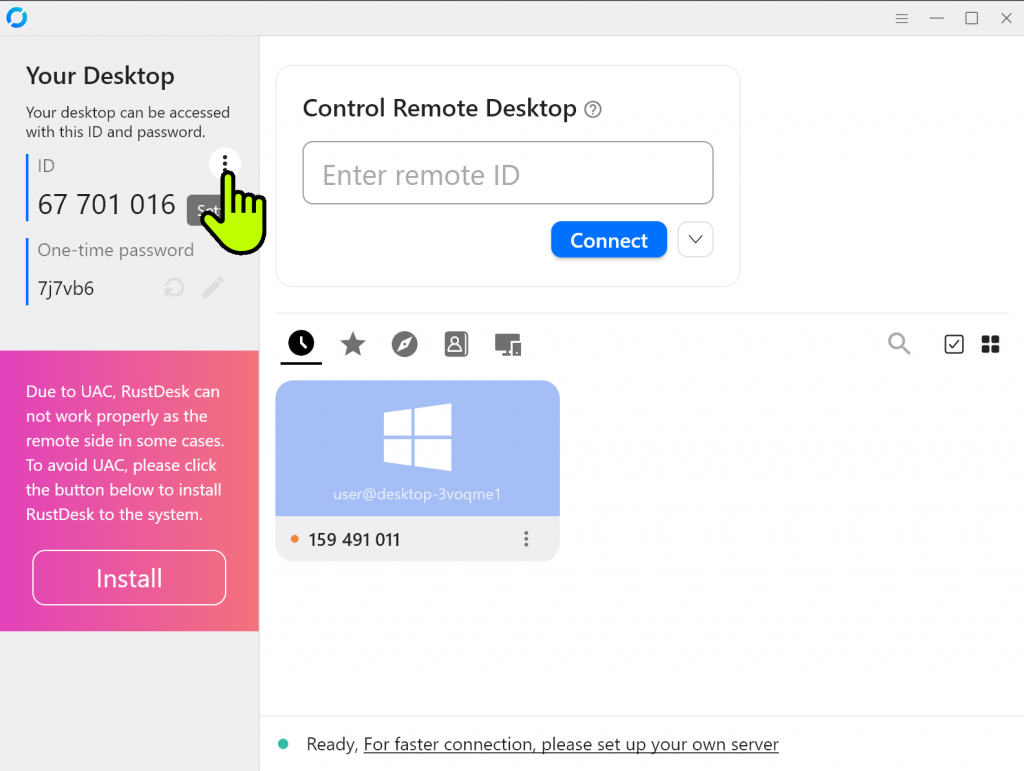
1️⃣ Click the three dots next to your ID to open the settings.
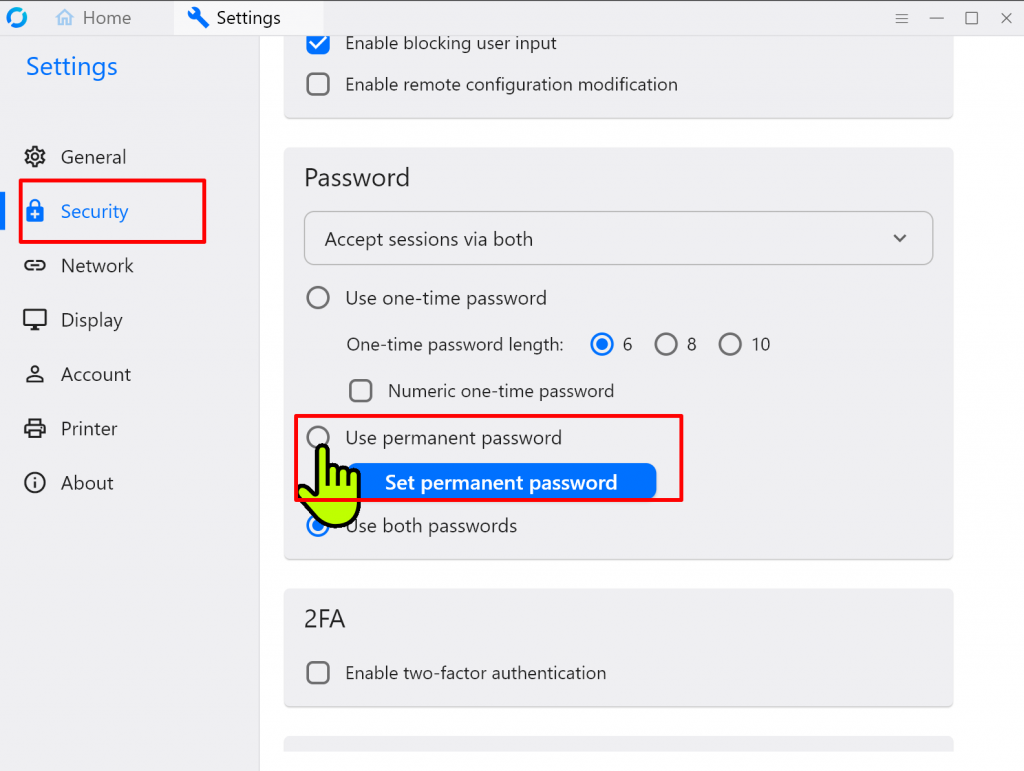
2️⃣ On the left, click Security and then select Use permanent password.
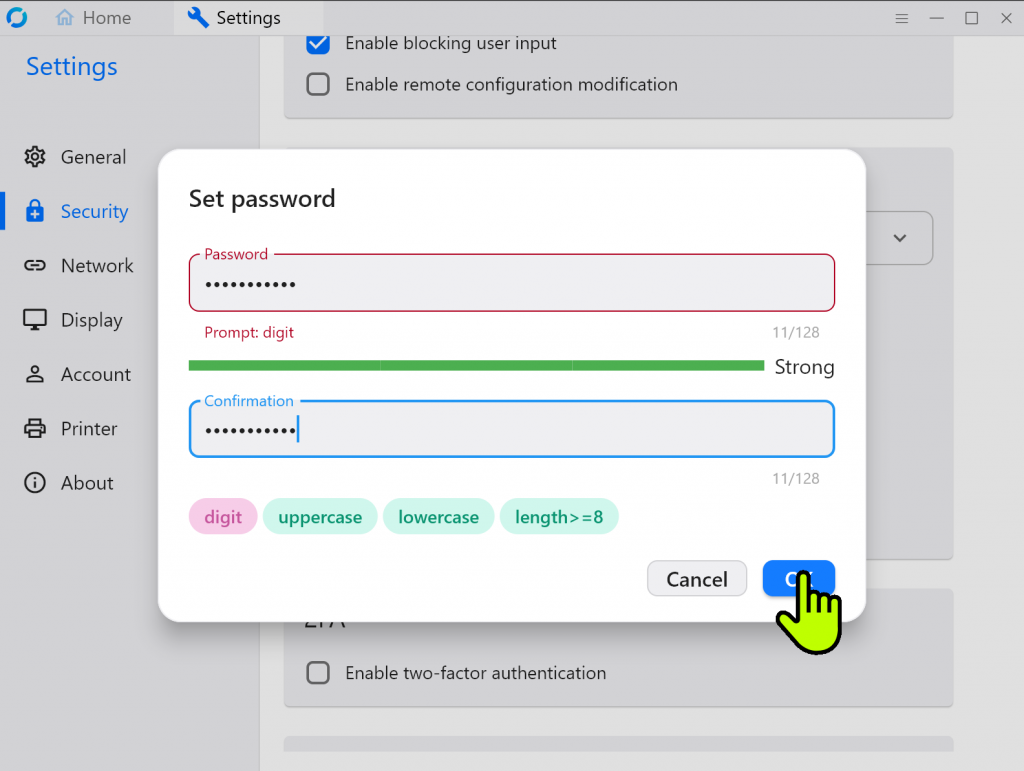
3️⃣ Just enter the password you want to use permanently, and you’re done.
Can you use it on mobile too?
Absolutely.
RustDesk supports both Android and iOS versions, so you can control your computer right from your smartphone — perfect for working or managing tasks while you’re on the go.
Recommended for
-
Those who are frustrated by TeamViewer’s time limits
-
Users who find AnyDesk’s paid plans too costly
-
IT managers who want secure remote access without worrying about data privacy
-
Remote workers who need seamless access between home and office computers
Conclusion
That’s everything you need to know about RustDesk.
This free remote desktop program requires no complicated setup — just run it and start using it. It’s a great alternative to TeamViewer or AnyDesk, especially if you’re looking for something simple, secure, and completely free.